
The CI Process, Step by Step: What Runs Between Push and Merge
A practical CI process in the order we build it: fast checks first, one build, tests in layers, scans, and a single artifact that every later stage reuses.
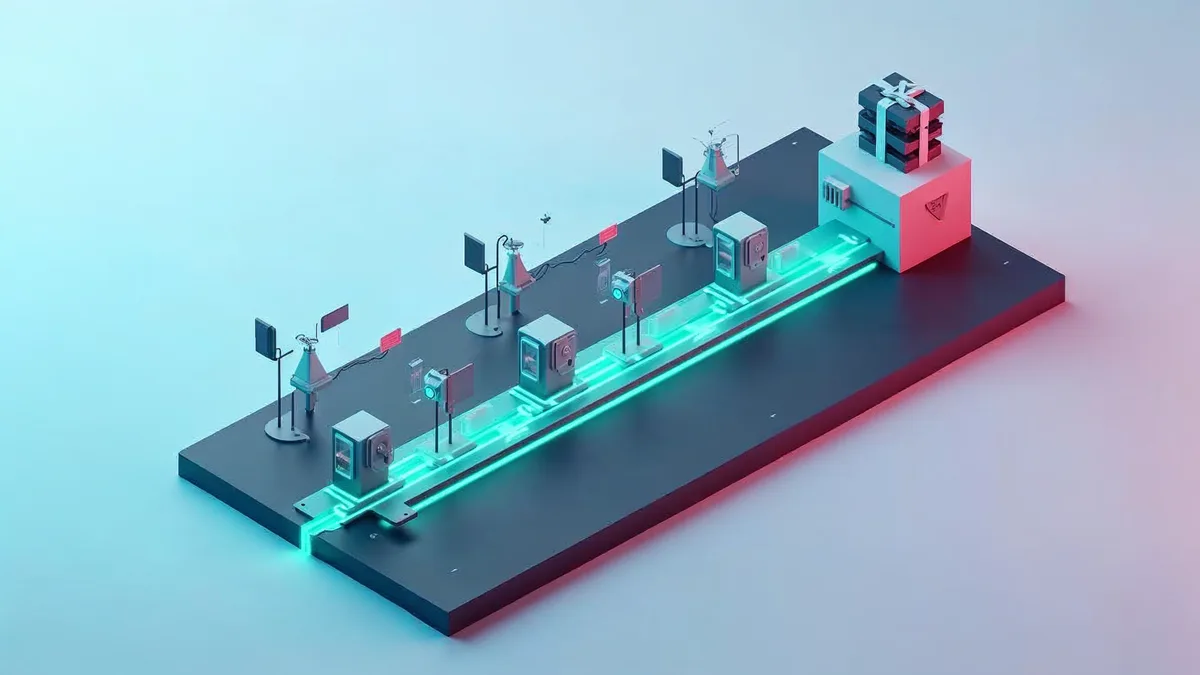
Most teams have a CI pipeline. Fewer have a CI process: an agreed order of checks, a clear rule for what blocks a merge, and one person who owns it when it gets slow or flaky. Without that, the pipeline grows by accident. Someone adds a scan, someone else adds an end to end suite, and a year later every pull request waits a long time for a result nobody trusts.
This is the CI process we set up for clients, in the order the steps run, and the reasons behind that order. It covers everything from git push to the moment a change is allowed to merge. What happens after merge, shipping to production, is a separate topic.
The goal of CI, in one line
Every change that reaches the main branch has been built and tested the same way, and the result is a known artifact you can deploy.
Two parts of that sentence matter. “The same way” means CI, not a developer’s laptop, decides whether a change is good. “A known artifact” means CI produces the thing you ship, rather than something that gets rebuilt later.
The stages, in order
| Stage | What runs | Blocks the merge? |
|---|---|---|
| 1. Fast checks | Formatting, linting, type checks, commit and branch rules | Yes |
| 2. Build | Compile, resolve dependencies from a lock file, build the image once | Yes |
| 3. Unit tests | Tests with no network, no database, no shared state | Yes |
| 4. Integration tests | The service against real dependencies in containers | Yes |
| 5. Security and policy | Dependency scan, secret scan, image scan, IaC checks | Yes, above an agreed severity |
| 6. Package and record | Push the artifact, tag it with the commit, attach reports | Runs on every green build |
| 7. Slow suites | End to end and long-running tests | On merge or nightly, not on every push |
The order is deliberate: cheapest and most likely to fail first. A missing semicolon should fail in seconds, not after a long integration run.
1. Fast checks first
Linters, formatters and type checkers catch a large share of review comments before a person looks at the code. Run the same tools locally with a pre-commit hook, so CI is a confirmation, not a surprise. If a check can fix the problem itself (a formatter, for example), let the developer run it locally; CI should only report, never rewrite a branch.
2. Build once
Build the application and its container image a single time per commit, and pass that exact output to every later stage. Tests run against the image you will ship, and deployment later uses the same image by digest.
Two rules keep the build honest:
- Dependencies come from a lock file. A build that resolves “latest” on Tuesday and something different on Wednesday is not reproducible.
- No build step reaches into production. No production credentials, no production data. CI is a clean room.
3. Unit tests
Unit tests should be fast and deterministic. If a unit test needs a network connection, a sleep or a specific order to pass, it is an integration test in disguise, and it will be the first source of flaky failures. Move it.
Run unit tests in parallel and split large suites across jobs. Most CI systems, including GitHub Actions and GitLab CI, support matrix or parallel jobs for this.
4. Integration tests against real dependencies
Mocks drift from reality. For the database, the queue and the cache, start the real thing as a service container in the job, at the version you run in production, and test against it. This is where you catch the migration that works on an empty database and fails on one with data, or the query that a mock happily accepted.
Keep these tests focused on one service at a time. A test that needs the entire system up belongs in stage 7.
5. Security and policy checks
Scanning belongs in CI because it is the last cheap moment to stop a problem. Typical checks:
- Secret scanning on the diff, so a leaked key is caught before it is in the main branch history.
- Dependency scanning against known vulnerability databases.
- Image scanning of the built container.
- Infrastructure as code checks on Terraform, Helm charts and Kubernetes manifests.
The important decision here is not which scanner to use. It is the threshold. Agree as a team which severities block a merge and which only report, write it down, and set an expiry on every exception. A scanner that fails every build gets switched off; a scanner that never fails anything is noise.
6. Package and record
A green build ends with an artifact pushed to a registry, tagged with the commit SHA, together with its test reports, scan results and, where you need it, a software bill of materials. From this point on, nobody rebuilds. Staging and production deploy the same artifact, so what you tested is what you run.
7. Keep slow suites off the critical path
End to end tests are valuable, but if every pull request waits for them, developers start batching changes to avoid the wait, and integration stops being continuous. Run them after merge, or on a schedule, against a deployed environment. If they fail, the main branch is broken and fixing it is the team’s first job.
Rules that make the process work
The stages are the easy part. These rules are what keep CI useful a year later:
- The main branch is always green. A red main blocks everyone. Fix or revert first, investigate second.
- Branch protection enforces the stages. Required checks, required review, no direct pushes. Nobody gets a shortcut, including admins in a hurry.
- Flaky tests are bugs. Quarantine a flaky test, open a ticket with an owner, and fix or delete it. Automatic retries hide the problem until it becomes the norm.
- CI has a time budget. Agree how long a pull request check may take, measure it, and treat going over as a defect. Caching dependencies and splitting jobs usually win back most of the time.
- The pipeline is code. It lives in the repository, it is reviewed like any other change, and shared steps live in reusable templates rather than copied files.
- CI has an owner. Not the whole team, one named person or team who watches duration, failure rate and flakiness, and has time to act on them.
Signs your CI process needs work
- Developers rerun failed jobs without reading the logs, because “it usually passes the second time”.
- Pull requests sit waiting for checks long enough that people switch tasks.
- The image deployed to production is built by a different job than the one that was tested.
- Nobody can say which scan findings block a merge.
- Local builds pass and CI fails, or the other way round, and nobody knows why.
Each of these has a fix in the stages and rules above. When a build does go red and the cause is not obvious, our pipeline debugging checklist walks through it calmly.
Where to start
You do not need to rebuild everything at once. Pick the change that removes the most daily pain:
- If builds are slow, measure each stage and fix the slowest one first, usually caching or parallel tests.
- If builds are flaky, list the five flakiest tests and give each an owner.
- If you rebuild for deployment, change the pipeline to push one tagged artifact and deploy that.
- If scans are ignored, agree on the blocking threshold this week.
DoneDeploy designs and repairs CI processes on GitHub Actions, GitLab CI and other platforms, from the first lint step to the artifact your deployments use. If your pipeline has grown by accident, book a free call and we will go through it with you.
Related articles
 Ansible PlaybooksLearn how Ansible playbooks automate tasks using YAML and idempotency. See how DoneDeploy can enhance your automation efforts
 CI/CD for Models and PromptsEvaluation gates, model registries, canary releases and rollback: applying CI/CD discipline to prompts and models in LLM applications.
 Simpler Infrastructure, Faster Engineering TeamsSimpler infrastructure helps engineering teams move faster, deploy more efficiently, and focus on building products.